Raul Cabanellas

CSCI 496: Senior Portfolio
In partial fulfillment of the requirements for the degree of Bachelor of Science in Computer-Science (class of 2026)
View My Resume
Clinvar Database Search
- Class: SYSTEMS ANALYSIS & SOFTWARE DESIGN
- Grade: A
- Language(s): HTML, CSS, Java, Javascript, SQL
- Source Code Repository: RED_TEAM
(Please email me to request access.)
Project description
A local hospital doing cancer gene research had the issue of manually going through Clinvar’s database to find specific genes and formatting it into a table. Our team project was to create a website for them to enter gene information that would generate the formatted table to save them time. Our project would first download the files from Clinvar’s website on a weekly basis. Then filter the data for only certain genes and place the data into a database. Depending on the input from the website it would filter through the database finding all relevant genes. Finally formatting them into a table for a specified file type selected by the user. I handled setting up the database, automating the file downloads from Clinvar and placing the filtered data into the database. While the frontend developer handled the design of the pages, the filter takes in the input from the website to get relevant data. We both worked on integrating how the frontend and backend communicated. The technical writer handled the documentation of the project. While the team lead created the schedule and attempted to host the project but could not find a free option due to the large amount of data needed to be stored.
How to compile and run the program
Clone repo
Install Node.js, SQL workbench, SQL server, Java orcale JDK
Set up SQL database using databaseCreation.sql
cd ./project
npm install
node index.js
see website via http://localhost:3000
UI Design
The user when looking up specific gene information can input into the search bar specific gene identifiers (see Fig 1). Making sure the dropdown is selected with the correct identifier (see Fig 2). Then the user waits half a minute to three minutes for the program to find all relevant genes. In the event of incorrect keywords or simply no data found the query will fail and alert the user to try again (see Fig 3). If the data is found it will allow the user to download the file by selecting the file type and clicking download (see Fig 4).
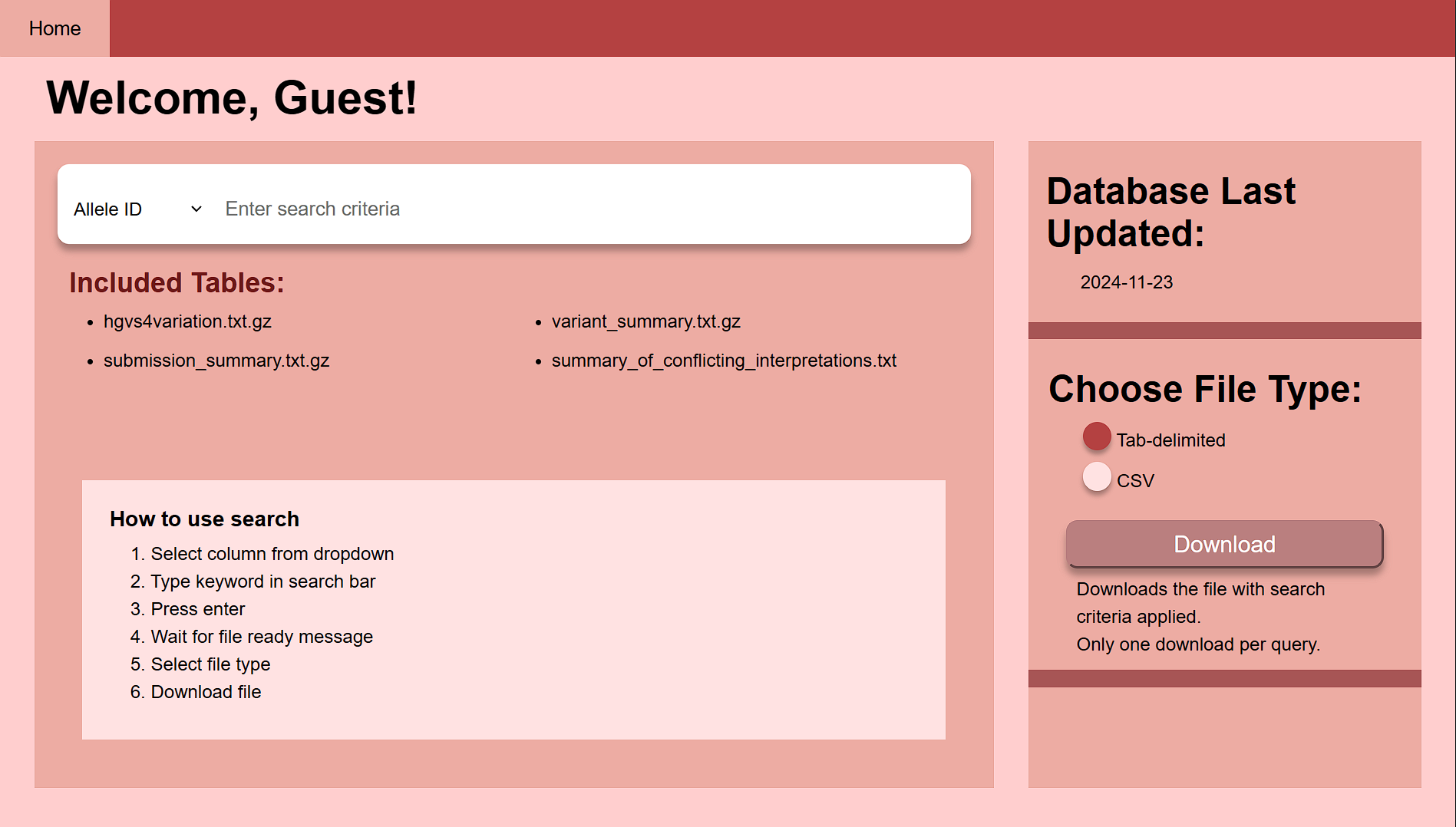
Fig 1. The launch screen
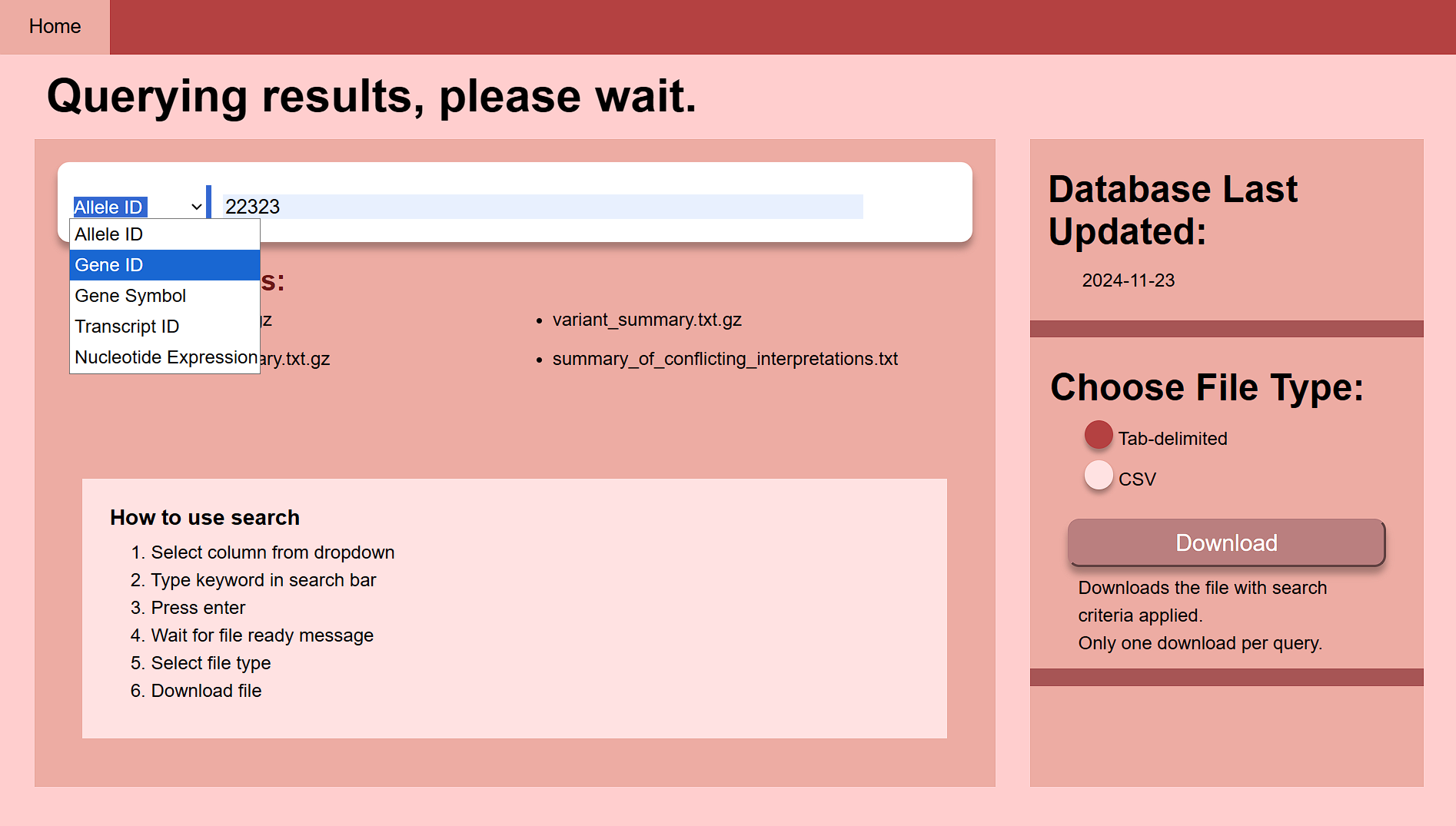
Fig 2. The screen while it queries
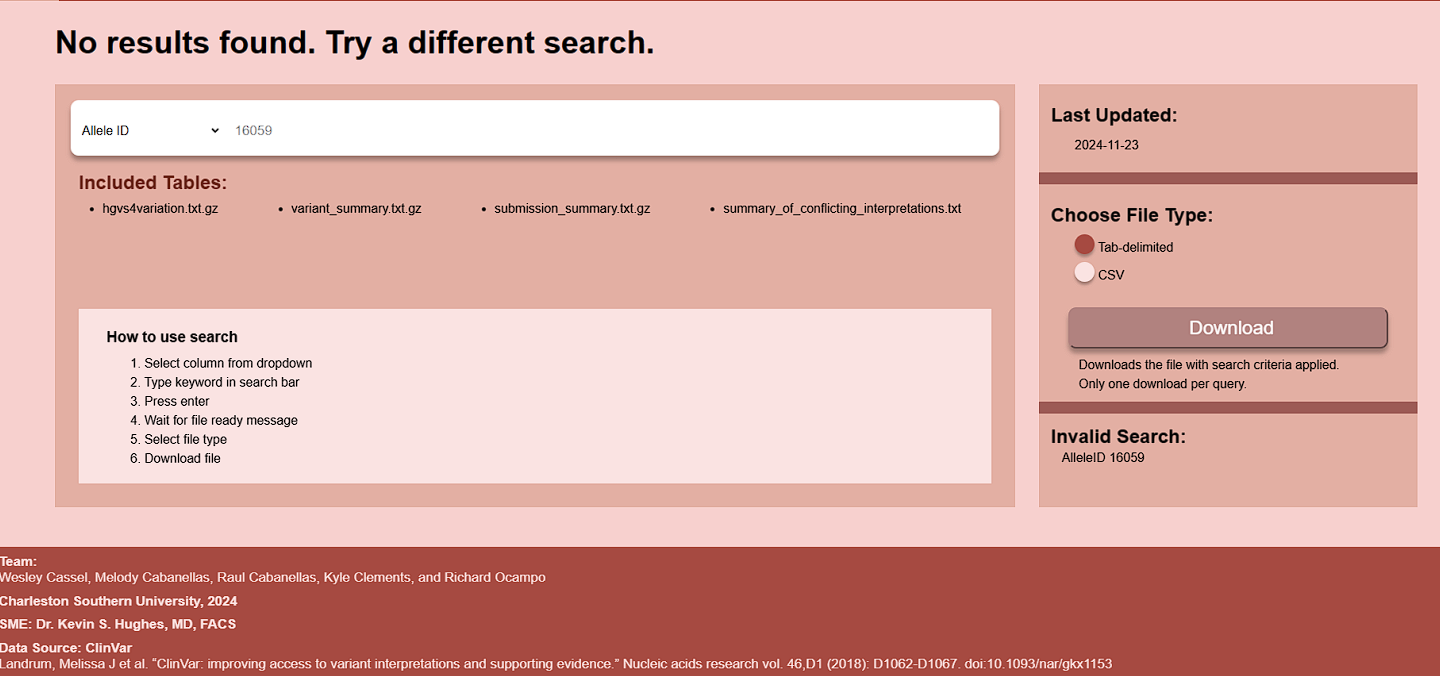
Fig 3. When the query fails
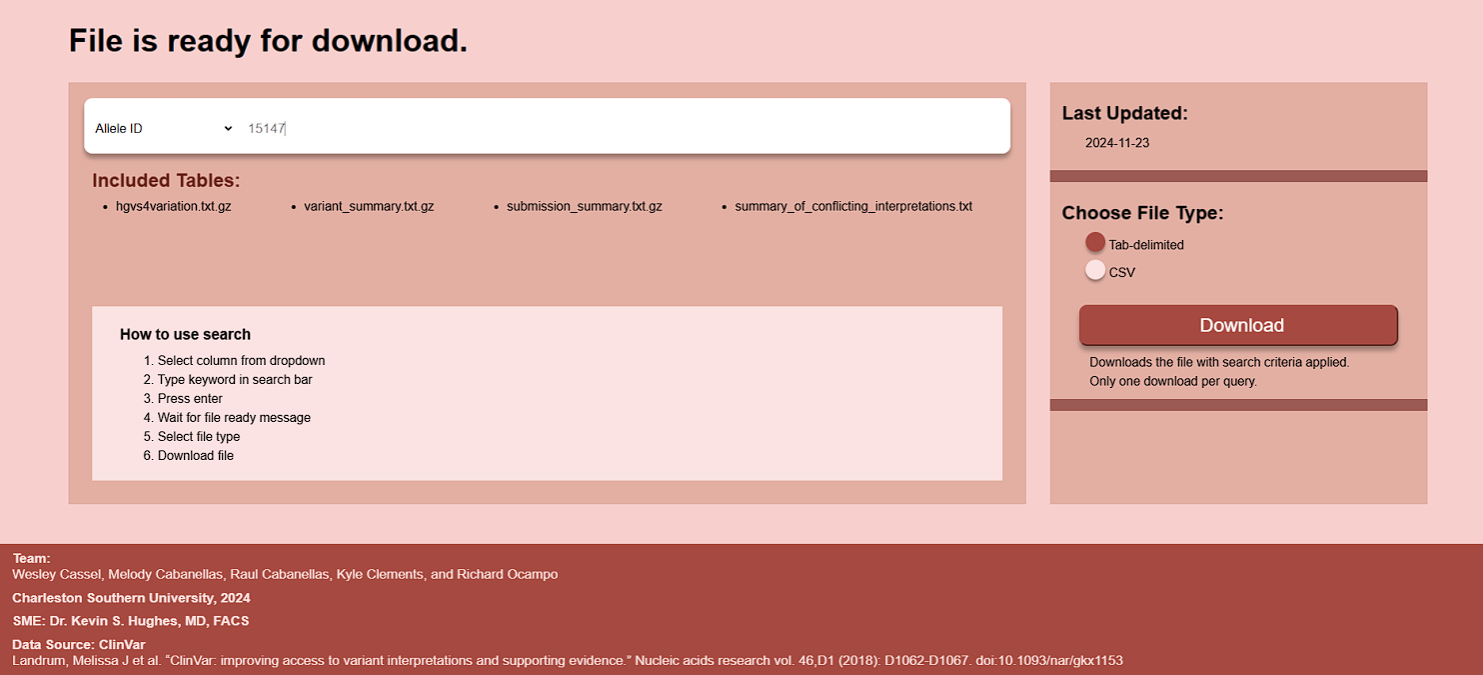
Fig 4. When the download is ready