Raul Cabanellas

CSCI 496: Senior Portfolio
In partial fulfillment of the requirements for the degree of Bachelor of Science in Computer-Science (class of 2026)
View My Resume
Website for a 5k Run
- Class: USER-INTERFACE PROGRAMMING
- Grade: A
- Language(s): Ruby, HTML, CSS
- Source Code Repository: Charity Run
(Please email me to request access.)
Project description
A team project with the goal to create a website for a charity. The purpose of the website is for users to sign-up for the 5K race that the charity is hosting. The website contains additional information about the charity and race details, such as time and location. Unfortunately two team members drop out of the course so as the team lead had to reorganize the schedule and division of tasks. With only two members left I handled the backend related tasks while the other member handled the frontend tasks.
How to compile and run the program
clone the repo
cd charity_run_new
bundle install (Note: have Ruby 3.1.2 installed)
rails db:create
rails db:migrate
rails server
Once running the webiste can be accessed with http://localhost:3000
UI Design
From the home page the user can see the race details. They can also visit the about page or login in/ sign up (see Fig 1). The login page allows the user to input their email and password into the two fields, then enter the information using the login button(see Fig 2). The sign up page has the user fill in various fields with personal information to create an account that will also sign them up for the race. The team field will allow people to join teams with others by having them all enter the same team name (see Fig 3). The about page has information about the charity such as the mission statement and about(see Fig 4). The user dashboard will have race information such as route, time as well as show all team members if in a team (see Fig 5). The admin page only for admin users will be able to see all runner’s information and be able to make changes to them. The admin can also change their role by selecting on the runner and then toggling the role switch. The admin can also delete user by clicking on the delete button. However, editing the runner information will only be saved after pressing the save changes button(see Fig 6).
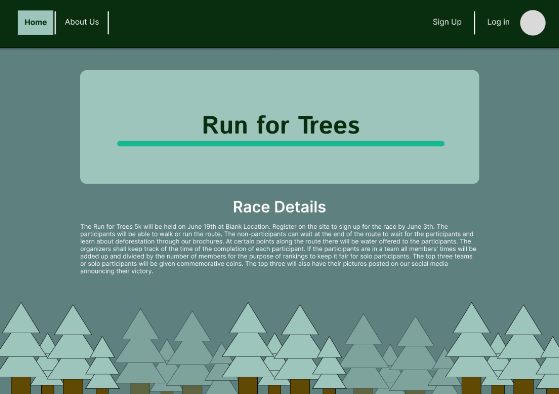
Fig 1. The home screen
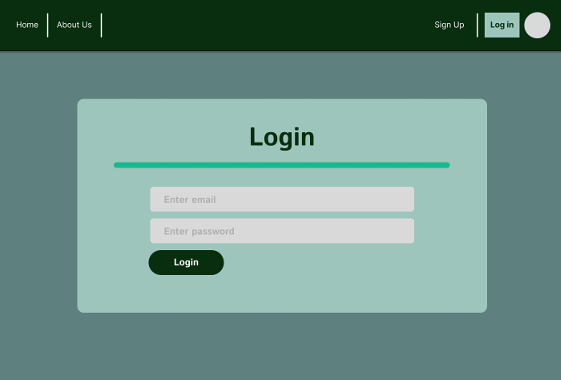
Fig 2. The login page
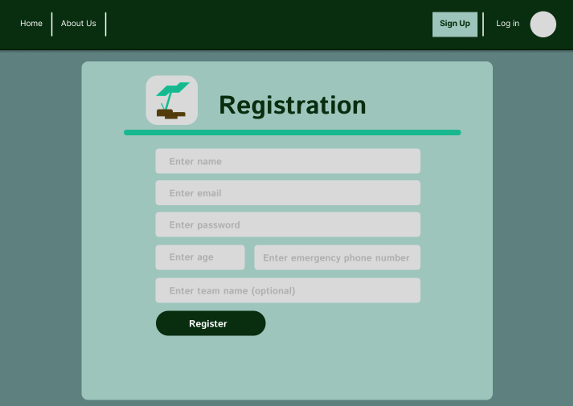
Fig 3. The sign up page
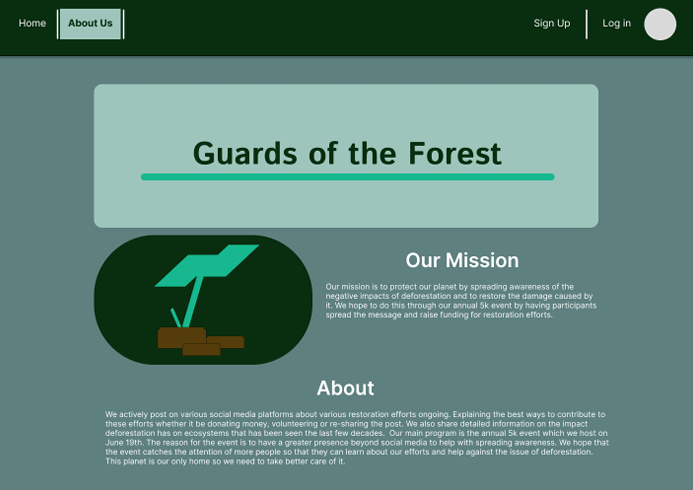
Fig 4. The about page
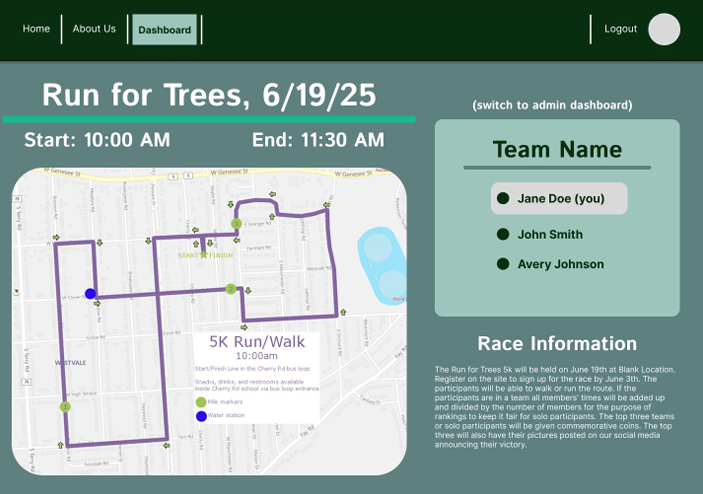
Fig 5. The user content page
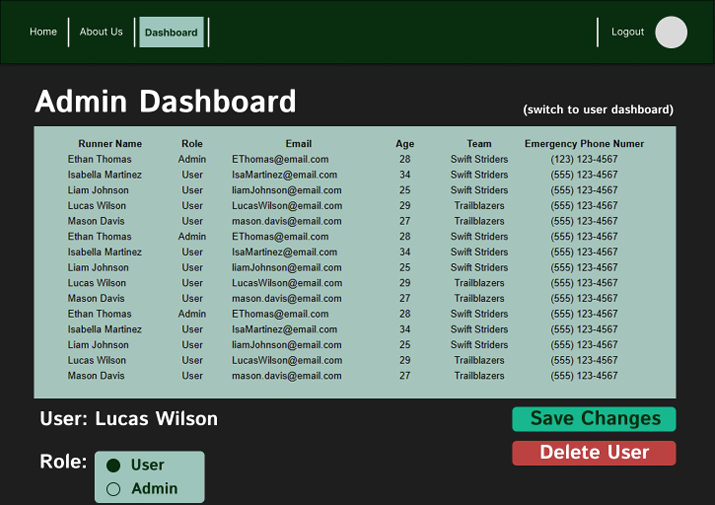
Fig 6. The admin page